
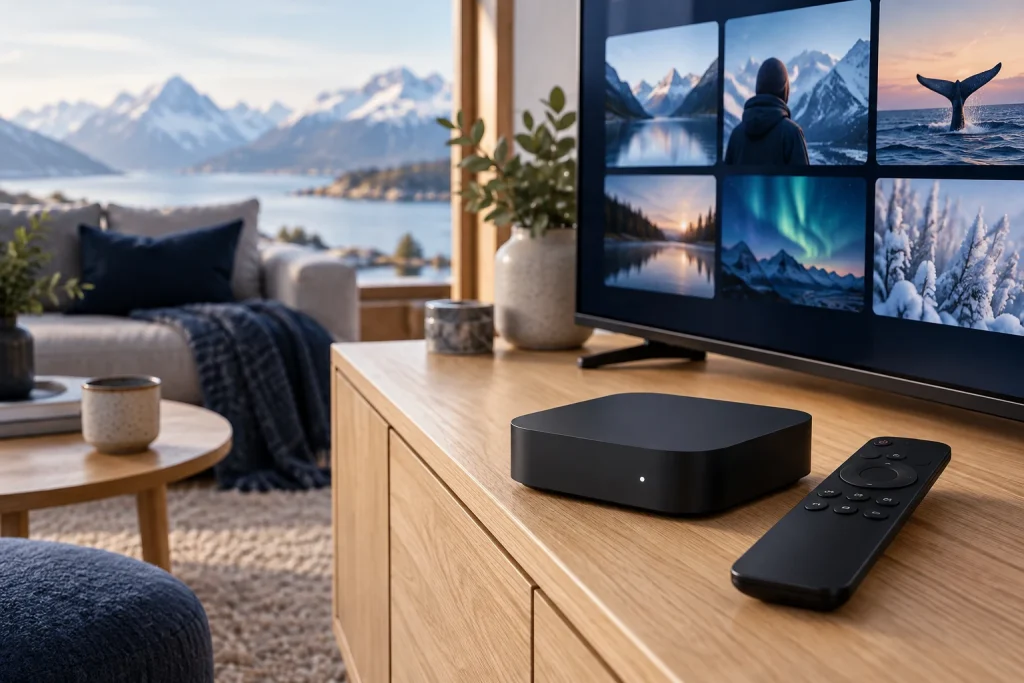
Norwegian IPTV is a way to watch television over an internet connection with a focus on Norwegian content. Before choosing a service, confirm the channels you need, the device you will use and the plan’s connection rules. Those checks matter more than a long catalogue or a generic “all devices” claim.
Quick answer: identify your essential Norwegian channels, ask which app supports your TV or streaming box, and confirm the required login method. After setup, test playback, sound, subtitles and the programme guide. Use the Norwegian site overview for local-language information.
What Is Norwegian IPTV?
IPTV delivers television through an internet connection. “Norwegian” describes the viewing focus of the offer, rather than a separate type of player. A plan may include Norwegian content alone or combine it with other Nordic and international categories.
That distinction helps you compare services. If your priority is Norwegian news and everyday programming, focus on those channels. If your household also watches Swedish, Danish or Finnish content, check the relevant Nordic groups separately.
How to Choose a Norwegian IPTV Service
- Write down the Norwegian programmes and channels you watch regularly.
- Ask whether those channels are included in the current plan.
- Confirm your device model and supported player app.
- Check audio, subtitles and programme-guide support where you need them.
- Confirm how many devices may stream simultaneously.
- Review the plan’s duration, price and service terms.
If you are comparing several Nordic offers, use the worksheet in our best IPTV Nordic buying guide. Keep the Norwegian requirements at the top of your list instead of letting unrelated catalogue size decide the choice.
Which Norwegian Channels Should You Check?
Build your shortlist around viewing needs: national news, local-language entertainment, documentaries, children’s programming and any particular sports events. Give support exact channel or programme names where possible, rather than asking only whether the package has “Norway.”
| Your priority | What to confirm |
|---|---|
| News and current affairs | The specific channels, live availability and programme information. |
| Family viewing | Language options, appropriate content and controls offered by the app. |
| Series and films | Whether the content is live or on demand, with the audio and subtitles you need. |
| Sports | The relevant event, authorised coverage and applicable plan. |
A general sports category is not a guarantee that a particular match or competition is included. Confirm the actual coverage before subscribing for one event. Our Nordic TV channels guide explains how to compare country groups without counting duplicate entries as extra choice.
Norwegian IPTV on Smart TV and Streaming Devices
The installation route depends on the platform. A Samsung or LG television uses its own app environment; an Android TV box or Apple TV has a different app store. Check the exact model before following an installation tutorial.
A compatible external box can be an option when a television lacks the app you need. However, confirm the provider’s supported setup before buying another device. You may already have a suitable option on your current screen.
Apple TV
Check that the player supports tvOS. Apple’s official guide explains app downloads for Apple TV HD and Apple TV 4K. An iPhone app is not automatically available for the television box.
Samsung and LG
Search the television’s official store for an app supported on your model. Follow the manufacturer’s installation route and the player developer’s login instructions. App availability can differ between models and regions.
How to Set Up Norwegian IPTV
- Choose the supported player. Confirm the app and device combination with the service.
- Install from the official store. Check the developer and the app information.
- Select the login method. Use the playlist or account method supported by both products.
- Enter the details accurately. Check addresses and account fields for accidental spaces.
- Load the list. Wait for the app’s result instead of repeatedly submitting the same request.
- Test a Norwegian channel. Confirm picture, sound and menu navigation.
- Set favourites and EPG. Add the channels you use most and check programme times.
Menu labels vary by player. A full playlist address belongs in the playlist field; it should not be treated as a username. If you are unsure, ask support for instructions for the app you actually installed.
Audio, Subtitles and the Norwegian Programme Guide
Norwegian-language viewing involves more than a country folder. Check the audio track and subtitle options on the content you use. Options depend on the source and the player’s handling of that source.
EPG is the electronic programme guide. If playback works but the guide is empty, investigate its source and update settings. If listings appear at the wrong time, check device time and the app’s guide settings before reinstalling everything.
Why Norwegian IPTV May Buffer or Show a Black Screen
First establish whether the problem affects one item, one device or the entire setup. That makes troubleshooting more useful than assuming the subscription or application is always responsible.
- No channel list: check the account details, playlist address and supported login method.
- One item will not open: test another available item to separate a source problem from a general failure.
- Several items buffer: investigate the connection and compare another device where possible.
- Picture without sound: check mute, output and available audio tracks, then test another item.
If your device supports Ethernet, a cable test can help investigate Wi-Fi as a cause. Change one setting at a time and record what changed. Send support the device model, app name and exact symptom.
Watching Norwegian Content Away from Home
If you plan to watch while travelling, ask the service about supported locations, account restrictions and the content’s access terms. A working setup at home does not establish that the same content is available in every country.
Do not choose a plan solely because its marketing says “worldwide.” Confirm your intended location and device before relying on it for travel.
Frequently Asked Questions
Can I watch Norwegian IPTV on a Smart TV?
Yes, with a service and player compatible with your specific model. Confirm the app and login method first.
Is Norwegian IPTV the same as Nordic IPTV?
A Norwegian offer focuses on Norway. A Nordic offer can include several countries, but the actual line-up must be checked.
Are Norwegian subtitles available on every film?
Do not assume that. Check the source and subtitle options for the titles important to you.
Does a 4K TV guarantee 4K Norwegian channels?
No. The content source, app and playback setup must also support the format.
Related Guides and Next Steps
- How to choose a Nordic IPTV service.
- How to compare Nordic channel coverage.
- Channels and content overview.
Ready to check your setup? Review current plans and confirm your Norwegian channels and device with support. Use a service with the necessary rights to deliver its content.